
Phase 4 · Flux Kontext pipeline · runtime overlays · panel-by-panel window placement
Ryterna Door Configurator and Live Quote
Most garage door sites make you fill out a form first, then wait for someone to build the quote manually. That is slow, and it hides the spec logic. This configurator does the opposite. It exposes the Ryterna structure, uses the imported pricing matrices, and pairs those choices with approved product visuals.
The practical core is live: reusable Ryterna and Garage Door Fix image assets, local finish selection, live quote math, and a direct handoff into the office inbox. Visuals stay tied to approved catalog assets so customers are not shown an AI rendering that misrepresents the product.
Phase 4 configurator
Live quote engine now, with the real image pipeline being wired, runtime overlay logic, and panel-by-panel window placement controls.
Build your Ryterna quote
Phase 4 starts wiring the real visual system, generated base images, runtime color shifting, and proper catalog-window overlay logic with panel-by-panel placement.

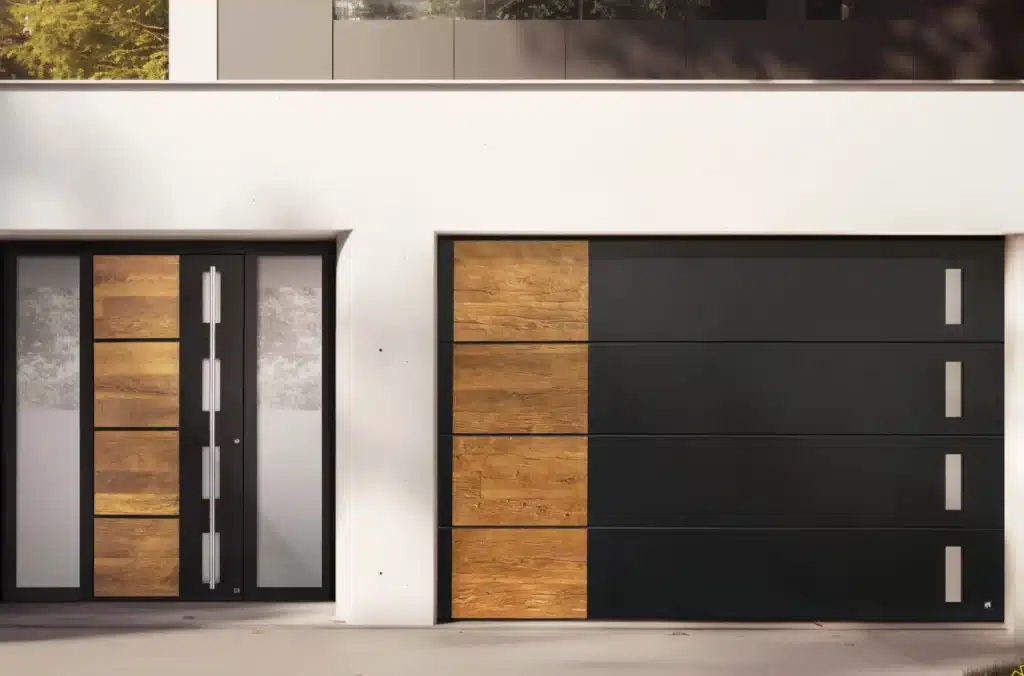
Minimal, flat-faced contemporary panel for modern homes and sharp exterior lines.
This is the real direction, proper window assets and explicit placement controls by panel and left, center, right position. The current preview uses the catalog image sheet as the overlay source until the transparent extracted assets are cut properly.
Quote preview
Generate a live subtotal, then print or save this quote summary.
Pick the door, finish, and size, then generate the quote. I’ll show the exact pre-tax subtotal, warnings, visual pairing, and mandatory Ryterna/GDF disclaimers here.
Request this quote
Send the configuration straight to the office inbox. We’ll keep the visual system expanding behind the scenes.
What this release already solves
This is a working quote engine backed by imported Ryterna pricing and approved product assets.
Real pricing structure
The quote engine uses the imported Ryterna pricing data instead of hand-written marketing ranges. That gives us a clean foundation for upgrades, disclaimers, and future PDF quotes.
Keyless-first deployment
The quote engine does not depend on an image-generation service or a maps key. Pricing and lead capture keep working independently.
Reusable visuals
The configurator reuses approved Ryterna visual assets so the customer sees a defensible representation of the door and finish.
Printable quote output
Customers and office staff can now turn the live quote result into a clean printable summary instead of screenshotting a half-finished page.
Visual pairing layer
The configurator now separates door-style previews from finish previews so the customer gets a more honest read on what they are choosing before a salesperson ever touches the lead.
Catalog window overlays
Window systems are now being wired from the Ryterna catalog pipeline so we can place overlays on specific panels and left, center, right positions instead of pretending one static preview covers everything.
Want the exact Ryterna spec confirmed on-site?
Use the configurator to narrow the field, then send the quote request. We’ll confirm opening conditions, sunlight exposure, and any special-finish constraints before order approval.